"image001.jpg" passes the scan like a real description - percentage scores mislead. For AI agents the accessibility tree beats screenshots outright: structure instead of pixels, an order of magnitude cheaper. Plus ten gaps axe cannot close.
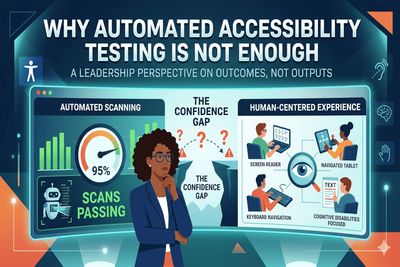
Automation and accessibility are not synonymous, writes Dennis Deacon, and treating them as equivalent is one of the most consequential mistakes a leader can make. A scan passes an image whose alt text reads "image001.jpg" exactly as it passes one reading "bar chart showing 40% increase in customer satisfaction". The attribute exists, so both are fine. Deacon's fix is to stop asking what percentage accessible the scans say you are. Ask instead whether a screen reader user can complete checkout independently. Scan coverage is a proxy metric that says plenty about your tooling and very little about your users.
Navya Agarwal argues that AI agents have been solving the wrong problem. Screenshot-based agents spend tokens rediscovering facts the browser already knows, because the accessibility tree carries role, name and state in structured form. Her thesis is not speed but fit - the semantic layer is simply the better interface, and lower latency is only the consequence. In her own agent work, moving from screenshots to DOM-native execution cut per-action latency from 2-5 seconds to under 500ms and token cost by an order of magnitude. She calls agent operability a strict superset of accessibility.
Abhay Kapur at BarrierBreak puts hard numbers on a familiar argument. The same accessibility defect costs 1x to fix in design, 6.5x in implementation, 15x in QA, and 60 to 100x once it reaches production, where a single fix runs to $800 or more. Inaccessible self-serve tasks push support tickets up by 20 to 30 per cent on top of that. Kapur anchors it all to the April 2024 DOJ rule binding US state and local government to WCAG 2.1 Level AA. This is vendor writing and it closes as a pitch for BarrierBreak's own platform - but the cost curve is worth borrowing for your next budget conversation.
AI was meant to make accessible code easy, so why is the web getting less accessible? Ela Gorla, Principal Accessibility Specialist at TetraLogical, traces it back to the training data. LLMs learn from publicly available sites, many of them inaccessible, so they replicate the barriers they were taught. She takes apart four patterns: vibe coding, AI-assisted coding, AI agents, and fast product development that drops discovery and wireframing. None of it is new, she argues - AI only accelerates old shortcuts. Her remedy is governance, not tooling, as the BBC showed with its Digital Product Accessibility Policy.
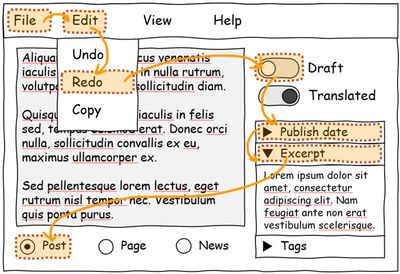
About 50% of websites don't use tabindex at all, says the Web Almanac. On the Microsoft Edge Blog, Patrick Brosset lists why keyboard navigation fails - wrong tabindex values, a forgotten focus() call, arrow keys with no preventDefault, focus landing on disabled inputs. Microsoft's answer is focusgroup, one HTML attribute that takes over roving tabindex work, handles arrow keys in every text direction, skips hidden elements, follows the ARIA Authoring Practices Guide and works in shadow DOM. Designed in 2021, matured in the OpenUI community group from 2022, now testable in Edge and Chromium - not yet stable.
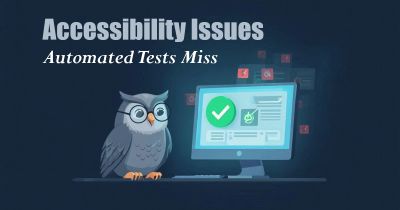
David Mello lines up five sources that disagree about how much accessibility testing can be automated. WebAIM puts it at roughly 30% of real WCAG failures, the W3C/WAI at 20-30% of Success Criteria, the US GSA at 1 in 3 issues, and Accessible.org splits WCAG 2.2 AA into 13% fully automatable, 45% partial and 42% not. Deque's own axe-core measurement is the most optimistic at 57.38%. Mello then walks through ten gaps axe and Lighthouse structurally cannot evaluate, from ambiguous link text to static ARIA labels on dynamic controls, pairing each one with a Playwright pattern you can copy.
Collapsed in DevTools, a fancy-button custom element looks like it contains nothing at all. Expand the shadow root and a real button appears - the one thing screen readers never see. Max Design walks through what browsers do about that: they flatten the shadow tree while building the accessibility tree, so the inner button surfaces with the name "Buy now", while the fancy-button host gets only a generic role because it carries no inherent semantics. Chrome, Firefox and Safari all flatten, just at different stages of their engines. And the verdict on screen reader performance? Shadow roots are rarely the culprit.
Thank you for registering!
I have already sent you the first email and kindly ask you to confirm your email address via the activation link.