The Web Almanac 2025 reports data from 17.2 million websites, Bogdan Cerovac argues accessibility must be trained into AI models - not bolted on after, and a WCAG checklist finally sorted by what designers actually deliver.
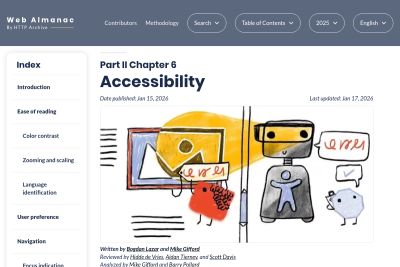
The 2025 Web Almanac accessibility chapter reveals that the median Lighthouse score improved to 85%. Key improvements include ARIA accessible names. A new AI section addresses how LLMs trained on inaccessible code may perpetuate accessibility problems.
Ted Drake lays out a three-phase framework for building an internal accessibility AI assistant: start with your own finalized policies and checklists, then layer in external design systems like IBM Carbon and GOV.UK, and finally structure everything as curated PDFs with a CSV index. The key insight is that AI systems are only as good as the sources you feed them — smaller, high-quality document sets outperform comprehensive dumps. Drake even published a GitHub repo with templates and automation scripts.
Staying curious and learning more about AI and where it can help with accessibility, I see a lot of work done with bolting it on instead of shifting it left. Seems that shift left needs us once again.
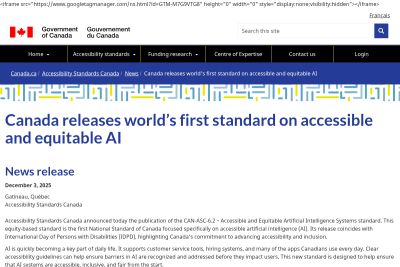
Accessibility Standards Canada has published CAN/ASC-2.1:2025, the world's first national standard for accessible and equitable AI. Developed with people with disabilities, it covers the full AI lifecycle - from training data through deployment - addressing bias, transparency, and assistive technology compatibility. The standard complements Canada's Accessible Canada Act and signals that AI regulation and disability rights are converging.
Geri Reid's WCAG Design Checklist reorganizes WCAG 2.2 success criteria by design category rather than conformance level -covering color and contrast, typography, layout and spacing, images, forms, links, focus states, motion, and more. Each checklist item maps directly to a specific WCAG criterion (with SC numbers) and explains the requirement in plain, designer-friendly language. The checklist is aimed at designers who need to bake accessibility into their deliverables before handoff, not retrofit after development. Covers Level A and AA criteria that designers can directly influence, filtering out the more developer-centric criteria.
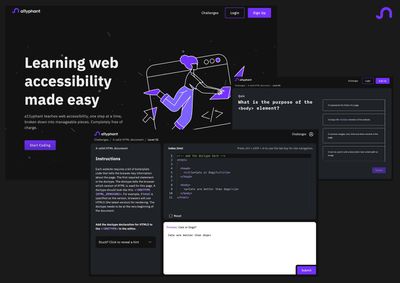
a11yphant is a free, open-source interactive learning platform that teaches web accessibility through hands-on coding challenges and multiple-choice quizzes. Built by Daniela Kubesch, Thomas Dax, and a team from Austrian universities, the platform covers topics like semantic HTML, headings, images, forms, buttons, links, and page structure. Learners write real HTML and CSS directly in the browser — no setup required — and get instant feedback on whether their code meets accessibility criteria. It fills a gap in the learning landscape by making accessibility practice-first rather than theory-first.
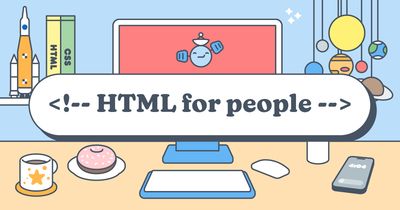
Blake Watson's 'HTML for People' is a free, beginner-friendly online book that teaches HTML to people with zero coding experience. The book walks readers through building a real, multi-page personal website from scratch — starting with what HTML actually is, through semantic elements like headings, lists, and landmarks, to publishing on Neocities. Watson explicitly frames the web as a medium that belongs to everyone, not just developers, and weaves accessibility principles naturally into every chapter rather than treating them as an afterthought.
Thank you for registering!
I have already sent you the first email and kindly ask you to confirm your email address via the activation link.